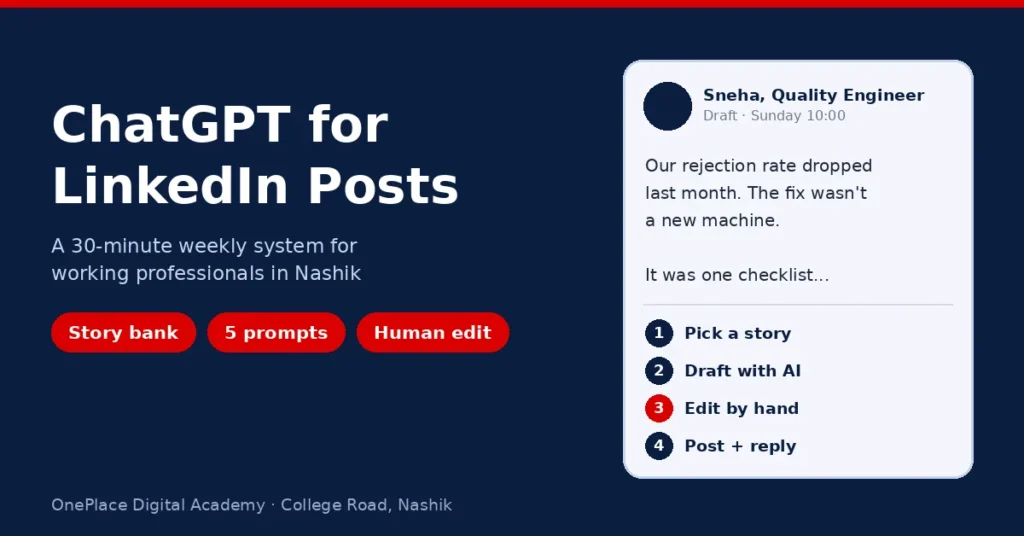
ChatGPT for LinkedIn posts works best as a drafting partner, not a ghostwriter. You bring the raw material (a lesson from this week’s work, a mistake you fixed, a tool you tried), ChatGPT turns it into a first draft in your voice, and you spend five minutes making it sound like you again. Done this way, one good post a week takes about 30 minutes. This guide gives you that weekly system, five copy-ready prompts, the post formats that suit working professionals, an edit checklist, and what to track.
It’s written for people like Sneha, 27. She works in the quality team at an auto-components plant in Satpur MIDC, Nashik. She wants to move towards marketing without quitting her job, and she knows recruiters and hiring managers check LinkedIn before they call. She has ideas. What she doesn’t have is time, or confidence that her posts won’t read like everyone else’s.
The short version
- Your experience is the content. ChatGPT only shapes it. A post with no real detail from your work will read as generic, however well it’s written.
- Give ChatGPT a voice brief once, then reuse it every week so drafts start closer to how you speak.
- Keep a story bank: a running note of small work moments worth sharing. Ideas are the hard part; drafting is the easy part.
- Edit every draft by hand. Cut filler, add one specific number or name, and end with a real question.
- Post once or twice a week on a fixed day, and reply to every comment in the first few hours.
- Never paste confidential company data into ChatGPT. Anonymise or leave it out.
Profile first, then posts
Posting to a half-finished profile wastes the attention you earn. If someone likes your post and clicks through, your headline and About section have to tell them who you are and what you’re moving towards. Fix that first with our LinkedIn profile optimization guide, then come back here. Posts bring people to the profile; the profile turns them into connections, messages and interview calls.
Three ways to write a LinkedIn post, compared
| Approach | Time per post | Sounds like you? | Main risk | Verdict |
|---|---|---|---|---|
| Write everything yourself | 60–90 min | Yes | You stop after two weeks because it takes too long | Fine if you enjoy writing |
| Let ChatGPT write the whole post | 5 min | No | Generic, templated posts that people scroll past | Avoid |
| ChatGPT-assisted: your story, AI draft, your edit | About 30 min | Yes, after the edit | Skipping the edit | Best for busy professionals |
The 30-minute weekly system
Pick one fixed slot. Sunday morning suits many people; a lunch break suits others. Then follow the same four steps every week.
- Story bank (10 min): scroll your notes and pick one moment from the week: a problem you solved, a number that surprised you, a question a colleague asked.
- Draft with ChatGPT (10 min): paste your voice brief plus the raw story into one of the prompts below. Ask for two versions and pick the better opening.
- Human edit (5 min): run the edit checklist further down. This is the step that makes the post yours.
- Publish and reply (5 min): post at a time your network is active, then answer every comment that day.
Step 1: Build a story bank
Keep a single note on your phone titled “Post ideas.” Add one line whenever something at work makes you think “others would find this useful.” Five sources that rarely run dry:
- A mistake you made and what you’d do differently
- A tool or shortcut that saved you time this week
- A question a junior or a customer asked you
- Something you learned from a course, book or webinar, applied to your own job
- A before-and-after: a process, a report, a presentation you improved
Step 2: Give ChatGPT your voice once
Most AI-sounding posts come from prompts with no context. Write a short voice brief and paste it at the top of every drafting chat. Here’s a template you can fill in:
You are helping me draft LinkedIn posts. About me: [role] at [type of company] in Nashik, [years] of experience, moving towards [goal, e.g. performance marketing]. My readers: [who you want to reach]. My tone: plain, practical, a little informal. I use short paragraphs, no hashtag walls, at most one emoji. Avoid buzzwords and avoid starting with a question. Here are two posts I wrote myself so you can match my style: [paste two of your own posts or messages].
If you’re new to writing prompts like this, our guide to prompt engineering for marketers explains why role, audience, format and examples make such a difference.
Step 3: Five prompts that work for working professionals
Paste your voice brief first, then one of these with your raw notes underneath.
- The lesson post: “Turn these notes into a LinkedIn post of 120–180 words about one lesson I learned at work this week. Start with what happened, then the lesson, then one question for readers. Notes: [paste].”
- The before-and-after: “Write a post comparing how I used to do [task] and how I do it now. Include the time or effort saved using my real numbers: [paste]. Keep it under 150 words.”
- The myth vs fact: “Write a post that corrects one common belief in [your field]. State the belief, explain why it’s wrong using my example, and give one practical tip. My example: [paste].”
- The how-I-do-it: “Turn these steps into a short numbered how-to post that a beginner in [field] could follow. Steps: [paste]. End by asking how others do it.”
- The career-move update: “Write a post about why I’m learning [skill] alongside my job, what I’ve learned in the first month, and what I’ll try next. Keep it honest, not boastful. Notes: [paste].”
Want more ready prompts across content, ads and research? Our list of 25 ChatGPT prompts for Indian marketers has plenty you can adapt for LinkedIn.
Post formats that suit working professionals
| Format | When to use it | Example opening line |
|---|---|---|
| Lesson learned | After a project, a mistake or a small win | “Our rejection rate dropped last month. The fix wasn’t a new machine.” |
| Short how-to | When you have a repeatable process | “How I prepare a monthly report in 40 minutes instead of three hours:” |
| Learning-in-public update | While you upskill alongside your job | “Four weeks into learning Google Ads on weekends. Three things surprised me.” |
| Carousel (PDF) | For step-by-step guides with visuals | “6 slides: the checklist I use before any client presentation” |
| Question post | When you genuinely want input | “Working professionals in Nashik: how do you make time to learn new skills?” |
Carousels need visuals. Our ChatGPT + Canva workflow shows how to turn a post into slides in a few minutes.
Step 4: The 5-minute human edit checklist
- Cut the filler opener. Delete any first line that could start anyone’s post. Start with what happened.
- Add one specific detail only you could know: a number from your work, a tool name, a place, a timeline.
- Remove words you’d never say out loud. If you wouldn’t say it to a colleague over chai, cut it.
- Break up the rhythm. AI drafts love identical one-line sentences and lists of three. Mix sentence lengths.
- Check the facts. ChatGPT can invent statistics and quotes. Keep only what you can verify.
- End with a real question you’d like answered, not “Thoughts?”
Mistakes to avoid
| Mistake | Why it hurts | Do this instead |
|---|---|---|
| Pasting confidential work data into ChatGPT | Can break company policy and client trust | Anonymise: “a client in auto components,” not the name |
| Inventing stories or results | One question in the comments exposes it | Share smaller, true moments |
| Hashtag walls and emoji on every line | Looks automated and reads poorly on mobile | Two or three relevant hashtags at most |
| Posting daily for two weeks, then stopping | Your network forgets you between bursts | One or two posts a week, every week |
| Ignoring comments | Conversations are what extend a post’s reach | Reply to every comment the same day |
What to track (and what to ignore)
Likes are the least useful number. Check these once a month instead:
| Metric | Where to find it | What it tells you |
|---|---|---|
| Profile views | LinkedIn analytics on your profile | Whether posts send people to learn more about you |
| Comments from your target field | Your post notifications | Whether you’re reaching the right people |
| Connection requests with a note | My Network | Whether people want an ongoing conversation |
| Messages from recruiters or peers | Inbox | The outcome you actually want |
| Search appearances | LinkedIn analytics on your profile | Whether your headline and skills are working |
Where this fits in your career plan
LinkedIn posting is one skill in a bigger move. If you’re working full time and want to switch into marketing, start with our guide on how to learn digital marketing while working full time, and read whether a weekend digital marketing course is worth it before you pick a programme.
At OnePlace, our College Road campus runs weekday and weekend batches, so you don’t have to leave your job to learn. The 4-month Advanced Certification in Digital Marketing covers AI Tools Mastery (ChatGPT, Gemini, Claude), Content Strategy & AI Copywriting, and Resume, Portfolio and LinkedIn Setup. If you want the deeper route, the 11-month PG Diploma in Digital Marketing adds a full module on Personal Branding on LinkedIn. Both come with 100% placement assistance.
Frequently Asked Questions
Is it okay to use ChatGPT to write LinkedIn posts?
Yes, as a drafting assistant. The ideas, experiences and final edit should be yours. Use ChatGPT to turn rough notes into a first draft, then edit it by hand so it sounds like you and every detail is true.
Can people tell when a LinkedIn post was written by ChatGPT?
Often, when it is unedited. Telltale signs include generic opening lines, identical one-line sentences, lists of three, emoji on every line and words nobody says out loud. A five-minute human edit that adds a specific detail from your own work fixes most of it.
How often should a working professional post on LinkedIn?
Once or twice a week on a fixed day is enough. Steady weekly posting builds more trust than a burst of daily posts followed by weeks of silence. Reply to comments on the day you post.
Is the free version of ChatGPT enough for LinkedIn posts?
For drafting, yes. Paid plans add features, but they are not needed to start. A clear voice brief and good raw notes matter far more than the plan you use.
Can I paste work documents into ChatGPT to get post ideas?
Avoid pasting anything confidential: client names, internal numbers or unreleased plans. Check your company policy, anonymise details, and share only what you would be comfortable seeing in public.
Does OnePlace teach LinkedIn content and AI copywriting?
Yes. The Advanced Certification in Digital Marketing covers Content Strategy and AI Copywriting plus Resume, Portfolio and LinkedIn Setup, and the PG Diploma adds Personal Branding on LinkedIn. Weekday and weekend batches run at our College Road campus in Nashik, and you can book a demo class on WhatsApp first.
Get your first three posts reviewed
Visit us for a free demo class at OnePlace Digital Academy, Soham Complex, Patil Lane No. 3, College Road (above Namco Bank), Nashik. Bring your LinkedIn profile and one draft post. We’ll show you what to tighten and how a weekday or weekend batch fits around your job.
Or call +91 88188 18950. Rated 5.0 on Google.