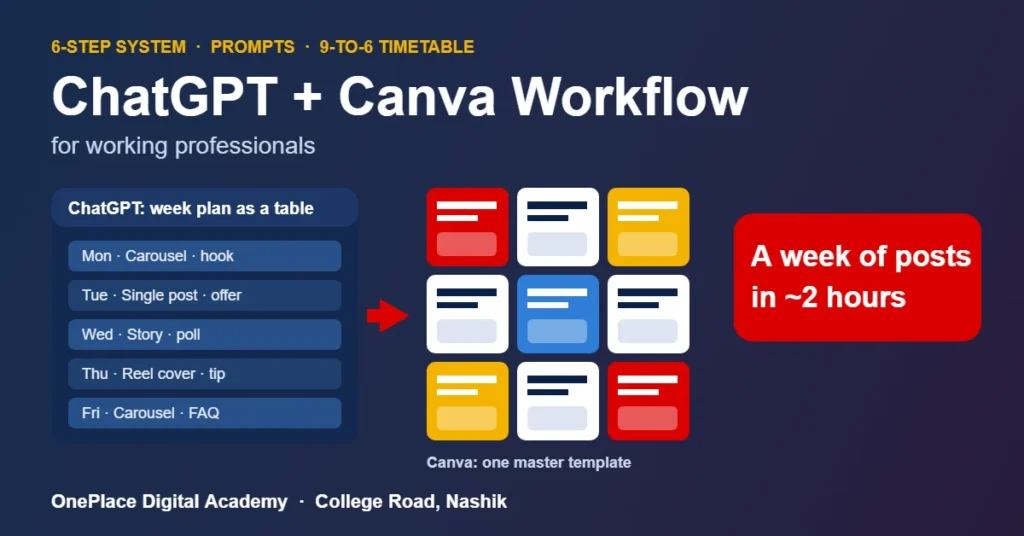
A ChatGPT Canva workflow splits your content work into two clean jobs: ChatGPT plans and writes, Canva designs and schedules. Done in one weekly batch, it turns a week of social posts into about two focused hours instead of scattered evenings. The method is simple: write one brand brief, ask ChatGPT for a week of posts as a table, push that table into a single Canva master template, give every post a human edit, then schedule the lot. This guide gives you the six steps, copy-paste prompts, a weeknight timetable that fits a 9-to-6 job, and the mistakes that waste the saved time.
It is written for professionals like Sneha, 27, who works full time at a firm in Nashik, handles her company’s Instagram “on the side”, and wants to build real AI marketing skills without quitting. If you open Canva on Sunday night, stare at a blank artboard and lose three hours to one post, this is for you.
The short version
- Batch, do not drip: plan and write the whole week in one sitting, design in a second sitting.
- ChatGPT owns words: the plan, hooks, captions, on-image text and hashtags.
- Canva owns visuals: one master template, your brand colours and fonts, resized for each format.
- A table is the bridge: ask ChatGPT for a table, paste it into Canva, and you never retype a caption.
- A human pass is non-negotiable: local details, real offers and your own phrasing go in before anything is scheduled.
The time you save does not come from typing faster. It comes from never starting from a blank page again.
Why ChatGPT and Canva work better as a pair
Each tool is average at the other’s job. ChatGPT can describe a design but cannot lay out a carousel your brand would post. Canva has AI writing features, but they work best on a line or two, not a week-long content plan. Give each tool the job it does best and the handover becomes the only step you need to manage.
| Content task | Best tool | Why |
|---|---|---|
| Weekly content plan | ChatGPT | Thinks in themes, angles and sequences across 5 to 7 posts |
| Hooks and captions | ChatGPT | Fast variations; easy to rewrite in your voice |
| On-image headline text | ChatGPT, then trimmed in Canva | Written short in ChatGPT, fitted to the layout in Canva |
| Layout and visuals | Canva | Templates, brand colours, fonts and photo editing in one place |
| Resizing for Reels, Stories, LinkedIn | Canva | One design, several sizes, no rebuilding |
| Scheduling | Canva or Meta Business Suite | Queue the week once instead of posting daily |
Before you start: a 30-minute setup
Do this once. Every week after this gets faster because the context is already built.
- Write a one-page brand brief. Who the customer is, what you sell, three offers you push this quarter, words you always use, words you never use, and three past posts that did well.
- Give ChatGPT that context once. Use a Project, custom instructions or a saved first message, depending on what your plan offers. The goal is that you stop re-explaining your business in every chat.
- Build one Canva master template. Square post, 4:5 post and a 9:16 Story, all using your logo, two brand colours and two fonts. If your plan includes Brand Kit, save them there; if not, the master template does the same job.
- Create one Canva folder per month. Every design for that month lives there, so reuse is a two-click job.
The 6-step ChatGPT Canva workflow
Step 1: Pick one theme for the week
Five random posts feel like five random posts. One theme, such as a festive offer, a product launch or “behind the scenes at our College Road office”, gives the week a story. Ask ChatGPT for three theme options tied to your offers and the calendar (Navratri, Diwali, exam season, year-end), then pick one in under a minute.
Step 2: Get the whole week as a table
This is the step most people skip. Do not ask for “a caption”. Ask for a table with one row per post and fixed columns: day, format, hook, on-image headline (under 8 words), caption, call to action and hashtags. A table is easy to scan, easy to edit and easy to move into Canva without retyping.
Step 3: Edit the copy like a human
Read every row out loud. Swap generic lines for real ones: a real offer detail, a customer question you heard this week, a landmark your audience knows. Cut anything you would never say in person. This 15-minute pass is what separates content people stop for from content they scroll past.
Step 4: Move the table into Canva
Two routes, depending on your plan. With Bulk Create (a paid Canva feature at the time of writing), you connect the headline column to the text box in your master template and Canva generates one design per row. On the free plan, duplicate the master page five times and paste each headline in. Either way, you are editing near-finished designs, not building from scratch.
Step 5: Finish visuals with Canva’s tools
Swap in your own photos first; real photos of your team, product or office beat stock images for a local audience. Use background removal, Magic Resize or the AI image tools where your plan includes them. Canva’s AI feature names and limits change often, so check what your account shows rather than relying on any blog list, including this one.
Step 6: Schedule the week and note what worked
Queue every post in one sitting, through Canva’s planner if your plan has it or through Meta Business Suite for Instagram and Facebook. The following Sunday, spend five minutes on results: which hook got saves, which post got DMs. Paste those notes into ChatGPT before planning the next week so the plan improves every cycle.
5 copy-paste prompts for the workflow
- Theme picker: “Using my brand brief, suggest 3 content themes for next week. Tie each to one of my offers and to anything happening in Nashik or on the festival calendar that week.”
- Week table: “For theme [X], create a table of 5 posts with columns: day, format (carousel, single image, Reel cover, Story), hook, on-image headline under 8 words, caption under 80 words, call to action, 5 hashtags.”
- Voice check: “Rewrite these captions so they sound like a friendly local expert, not an advertisement. Keep sentences short. Remove any phrase that sounds like it was written by AI.”
- Carousel builder: “Turn post 2 into a 6-slide carousel: slide 1 hook, slides 2 to 5 one idea each in under 20 words, slide 6 call to action.”
- Design brief: “For each post, write a 2-line visual brief for Canva: layout, photo to use, and the single line of text that should be biggest.”
Want more prompts? Our list of 25 ChatGPT prompts for Indian marketers covers ads, email and SEO. If you are deciding which assistant to use for the writing half, read our ChatGPT vs Claude vs Gemini comparison for marketers; the same workflow runs with any of them.
Where the hours come from: an illustrative week
The figures below are an illustrative estimate for one person producing 5 to 7 posts a week, not a measured study. Your numbers will differ, but the pattern usually holds: the biggest gains come from never designing from zero and never deciding post by post.
| Weekly task | Post-by-post | Batched workflow |
|---|---|---|
| Deciding what to post | 15 to 20 min per post | About 15 min for the week |
| Writing captions | 20 to 30 min per post | About 30 min for the week, including edits |
| Designing graphics | 30 to 45 min per post | About 45 min for the week from the master template |
| Resizing and exporting | 10 min per post | About 10 min for the week |
| Scheduling | Posting live, every day | About 15 min for the week |
| Rough total | 6 to 12 hours | About 2 hours |
A timetable that fits a 9-to-6 job
You do not need a free weekend. You need two protected slots and two short check-ins.
| When | Time | What you do |
|---|---|---|
| Sunday morning | 60 min | Theme, week table, human edit (Steps 1 to 3) |
| Sunday evening | 60 min | Canva designs, resizing, scheduling (Steps 4 to 6) |
| Wednesday, after work | 10 min | Reply to comments and DMs, note questions for next week |
| Saturday | 5 min | Check saves, shares and enquiries; paste notes into ChatGPT |
If your week is already packed, our guide on learning digital marketing while working full time shows how to protect these slots without burning out.
6 mistakes that eat the saved time
- Asking for one post at a time. The saving lives in the batch. Single requests are the slow way with extra steps.
- Publishing ChatGPT copy unedited. Readers spot generic text quickly. Add a local detail, a real offer and your own phrasing.
- A new design style every week. Stick to the master template for at least a month so your feed looks like one brand.
- Long text on images. Keep on-image headlines under 8 words; the caption carries the detail.
- Stock photos everywhere. One real photo of your team or product usually beats three polished stock images for a Nashik audience.
- Skipping the review. Without the 5-minute Saturday check, you repeat what did not work.
How this looks for professionals in Nashik
Picture three typical Nashik profiles. An accounts executive at a Satpur manufacturer who looks after the company’s LinkedIn page could batch it in two hours a week instead of dreading it. A sales coordinator on Gangapur Road could do the same for a family-run showroom. A software tester in Ambad could use the workflow to build a small freelance portfolio for cafés and clinics before deciding whether to switch careers. None of them needs to quit a job to learn it.
Local businesses near College Road, Gangapur Road and Indira Nagar need exactly this kind of steady, on-brand content. If you plan to offer it as a service, our 30-day Instagram Reels plan for local businesses shows what those clients expect.
From workflow to career skill
ChatGPT plus Canva is a strong first system, but employers and clients pay for the layer around it: strategy, Meta and Google Ads, SEO, analytics and automation. The prompt-writing half of this workflow is also a skill you can sharpen on its own; our 6-week plan to learn prompt engineering is built for people with a day job.
If you want the full AI-integrated stack with live projects and mentor feedback, look at our PG Diploma in AI & Digital Marketing (PGDDM): 11 months and 63+ modules. Ask about batch timings that fit your job on the demo call. Fees are quoted on your free demo call. 0% EMI available. No hidden costs.
Frequently asked questions
What is a ChatGPT Canva workflow?
It is a repeatable way to make social media content where ChatGPT handles planning and writing and Canva handles design and scheduling. You plan a week of posts as a table in ChatGPT, move that table into a Canva master template, edit everything by hand, and schedule the whole batch in one sitting.
Can I run this workflow on free plans?
Yes, you can learn and run the basic workflow on free ChatGPT and free Canva. Some helpful features, such as Canva Bulk Create, Brand Kit and the content planner, sit on paid plans at the time of writing, and feature limits change often. Start free, then upgrade only if the time saved justifies it.
How much time does the ChatGPT Canva workflow save?
For one person making 5 to 7 posts a week, a batched workflow usually brings the work down to about two focused hours, compared with several scattered hours when posts are made one at a time. The first week is slower because you are writing your brand brief and building the master template.
Will AI-written captions hurt my reach on Instagram or LinkedIn?
Unedited, generic captions tend to perform poorly because people scroll past them. Captions that start from an AI draft and then get a human edit, with a local detail, a real offer and your own phrasing, read like any other well-written post. The edit step is what matters.
Do I need design skills to use Canva for this?
No. You build one master template with your logo, two colours and two fonts, and every post starts from it. After a few weeks you will have a sense of what looks clean. Formal design training helps later but is not required to start.
Can I learn this alongside a full-time job in Nashik?
Yes. The workflow itself takes a weekend to learn and about two hours a week to run. If you want the wider AI digital marketing skill set, OnePlace Digital Academy on College Road, Nashik runs a free demo where you can ask about batch timings that fit a working schedule.
Build your content system with us
Bring your laptop and one account you post for, personal or your company’s, to a free PGDDM demo at our College Road campus. We will walk through this workflow on your own content, show you what the wider AI marketing stack looks like, and help you judge whether a course fits around your job or whether the free workflow is enough for now.
Or call +91 88188 18950. OnePlace Digital Academy, Soham Complex, Patil Lane No. 3, College Road (above Namco Bank), Nashik. Rated 5.0 on Google.