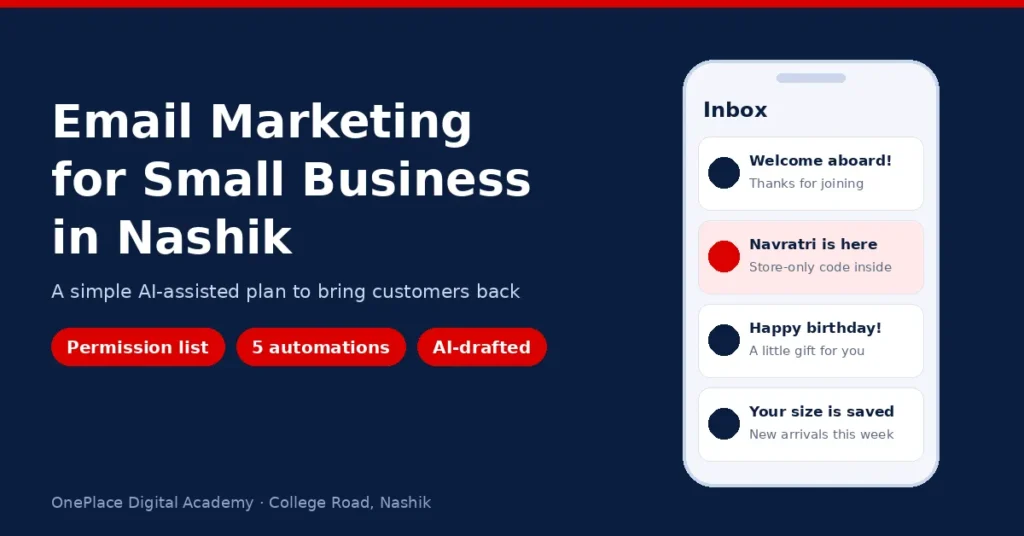
Email marketing for small business works when you use it to bring existing customers back, not to blast strangers. Collect email IDs with permission at the counter and on your website, send from your own domain, automate five emails (welcome, festival offer, birthday, win-back and review request), and draft them faster with ChatGPT. Most Nashik shops can set this up over one weekend and run it in about an hour a week. This guide covers the steps, the tool checklist, the inbox settings Gmail now checks, and the numbers worth tracking.
It’s written for owners like Kumar, 38. He runs a family ethnic-wear store on Gangapur Road. He has a couple of thousand customer numbers on WhatsApp, a Google Business Profile with steady reviews, and a Diwali rush that fades by January. He wants repeat buyers in the quiet months without spending more on ads.
The short version
- Email is for repeat business you own. Your list doesn’t depend on an algorithm or an ad budget.
- Collect with permission only: a QR code at the billing counter, a form on your website, a link on your Google Business Profile.
- Send from your own domain ([email protected]), with SPF, DKIM and DMARC set up.
- Automate five emails first. Add a regular newsletter only once those are running.
- Use ChatGPT for first drafts, then add your shop’s real details: product names, dates, your landmark.
- Track clicks, replies and counter sales, not just opens.
Email vs WhatsApp vs Instagram: what each does best
You probably already send WhatsApp broadcasts. Keep them. Email does a different job, and the strongest local shops use both. Our WhatsApp marketing guide for small businesses covers the WhatsApp side in detail.
| Channel | Best for | Weak at | Use it for |
|---|---|---|---|
| Longer content, catalogues, automated sequences | Instant attention | Welcome series, festival lookbooks, win-back offers | |
| Quick replies, reminders, one-to-one chats | Long content; frequent broadcasts feel pushy and get reported | Order updates, “your alteration is ready”, event reminders | |
| Discovery and showing products visually | Reaching the same customer reliably | Reels, new arrivals, customer photos |
The big advantage of email: you own the list. If Instagram reach drops or a WhatsApp number gets restricted, your email list still works.
Step 1: Build your list the right way (with permission)
Buying a database is the fastest way to land in spam and lose customer trust. India’s Digital Personal Data Protection Act, 2023 also expects clear, specific consent before you use someone’s personal data for marketing. Keep it simple: ask, say what they’ll get and how often, and keep a record. For your exact situation, check with your CA or legal advisor.
- Billing counter: a small standee with a QR code that opens a three-field form (name, email, birthday month). Offer something real, such as early access to new stock.
- Google Business Profile: share the sign-up link in a profile update. Our Google Business Profile guide shows how to keep those updates fresh.
- Website or Instagram bio: a sign-up form with one line on what you’ll send and how often.
- After a good review: when a happy customer reviews you on Google, invite them to join the list. Our Google reviews guide covers how to ask for reviews.
- Exhibitions and events: running a stall at a Nashik exhibition or a college fest? Use the same QR form instead of a paper register.
Leave the consent tick box unticked by default, and keep the date and source of every sign-up. Most email tools record this for you.
Step 2: Choose a tool (compare these points, not just the free plan)
Zoho Campaigns, Brevo and Mailchimp are the names most Nashik owners hear about first. Each has a free starter plan, but limits and plan rules change often, so check the current details on their websites before you commit. Compare them on these points:
| What to check | Why it matters for a small shop |
|---|---|
| Free-plan limits (contacts and emails per month) | Tells you when you’ll need to upgrade |
| Automation on the free plan | Welcome and birthday emails need it |
| Templates with a mobile preview | Most of your customers read email on a phone |
| Integration with your billing software, WooCommerce, Shopify or Zoho CRM | Saves exporting spreadsheets every week |
| Indian support hours and INR billing | Faster help when something breaks |
| Hosted sign-up forms and landing pages | Your counter QR needs somewhere to land |
Already using Zoho for invoices or CRM? Zoho Campaigns will be the easiest fit. Running a WooCommerce store? Test each tool’s plugin before you decide.
Step 3: Set up your sending domain so emails reach the inbox
Since February 2024, Gmail and Yahoo check whether senders are authenticated. Everyone sending to Gmail needs SPF or DKIM. Bulk senders (around 5,000 or more messages a day to Gmail) also need DMARC, a one-click unsubscribe and a low spam-complaint rate. A local shop won’t hit that volume soon, but setting up all three on day one keeps you safe as the list grows.
- Send from your own domain, such as [email protected], not a personal Gmail address.
- Add the SPF and DKIM records your email tool gives you in your domain’s DNS settings, wherever the domain is registered.
- Add a basic DMARC record. Start with p=none and a reporting address, then tighten it later.
- Send a test to Gmail and Outlook addresses and check it lands in the inbox, not spam.
- Keep the unsubscribe link visible in every email.
If your website runs on WordPress, whoever manages your hosting can usually finish this in about half an hour.
Step 4: Automate these five emails first
Automations run without you. Set them up once and they keep working every day, including your busiest festival weeks.
| Trigger | When | Goal | |
|---|---|---|---|
| Welcome | New sign-up | Immediately | Say thanks, set expectations, show bestsellers |
| Festival offer | Diwali, Navratri, Gudi Padwa, wedding season | 7 to 10 days before | Bring customers in before the rush; show new stock |
| Birthday or anniversary | Date from the sign-up form | 3 days before | A personal offer they can use in store |
| Win-back | No purchase in 90 days | Day 90 | A reason to visit again: new arrivals, a reserved size |
| Review request | After a purchase or service | 2 days later | A Google review using your direct review link |
Kumar’s version: the festival email goes out 10 days before Navratri with the new chaniya choli range, a store-only code and a map link to the Gangapur Road shop. The win-back email shows three new arrivals and asks one question: “Want us to keep your size aside?” Replies land in the shop’s inbox, and his staff follow up the same day.
Step 5: Write emails with ChatGPT (without sounding like a robot)
AI solves the blank-page problem. It doesn’t know your shop. Give it the facts, then edit the draft in your own voice. More prompts for owners are in our guide to ChatGPT for small business marketing.
Sample prompt: Write a short email (under 120 words) for my ethnic-wear store on Gangapur Road, Nashik. Audience: past customers who bought during Diwali. Goal: get them to visit for our new Navratri collection before 10 October. Include one subject line under 45 characters, one preview line, a friendly opening, three bullet points about the collection and a single button that says “See the collection”. Tone: warm, local, no hype words.
Check every draft before you send it
- Swap anything generic for real details: product names, dates, your landmark.
- Read it on your phone. If you have to scroll to find the button, cut text.
- Keep one email to one goal and one button.
- Put your shop’s phone number and address at the bottom.
- Test two subject lines on a small slice of the list before sending to everyone.
Step 6: Track the numbers that matter
Open rates are less reliable than they used to be, because Apple Mail and some apps load emails automatically and count them as opens. Watch clicks, replies and what happens at the counter.
| Metric | What it tells you | If it’s low |
|---|---|---|
| Click rate | Whether the offer and button worked | Make the offer clearer; use one button |
| Replies | Real interest | End the email with a simple question |
| Unsubscribes | You’re sending too often or off-topic | Send less; split the list by interest |
| Spam complaints | A trust problem | Check consent; remove old, inactive contacts |
| Code redemptions at the counter | Actual sales | Use an email-only code so you can count it |
An illustrative example: a festival email to 800 past customers with a 3% click rate sends 24 people to the collection. If the store-only code is used 10 times, you have a number to compare with your ad spend. Your figures will differ; the method is what matters. Our AI marketing ROI guide for business owners shows how to compare channels side by side.
Mistakes Nashik shops make with email
- Importing the whole WhatsApp contact list without asking. Those people never agreed to receive email.
- Sending from a personal Gmail address. It looks informal and is more likely to be filtered.
- Emailing only at Diwali. A list that hears from you once a year forgets who you are.
- Putting all the text inside one big image. Many inboxes hide images by default, so the message disappears.
- Ignoring replies. Answer within the day, the same way you would at the counter.
Your 30-day launch plan
| Week | Task | Time needed |
|---|---|---|
| Week 1 | Pick the tool, add the domain records, build the sign-up form and counter QR | 3 to 4 hours |
| Week 2 | Write and switch on the welcome and review-request emails | 2 hours |
| Week 3 | Add birthday and win-back automations; import past customers who agreed to email | 2 hours |
| Week 4 | Send your first festival or new-arrivals campaign; check clicks and replies | 1 to 2 hours |
After that, an hour a week is enough: one campaign every two weeks and a quick look at the numbers.
Learn to run it yourself
Email is one piece. The bigger win comes from connecting it with your Google Business Profile, WhatsApp and a small ad budget so each channel feeds the next. At OnePlace, email marketing and automation sit in Month 2 of the Professional Certificate in Digital Marketing & AI (PCDM), a 3-month live online program with weekday and weekend batches, so you don’t have to close the shop to attend. Prefer classroom time at our College Road campus? The 4-month Advanced Certification in Digital Marketing covers email automation alongside WhatsApp and Zoho CRM, with 100% placement assistance for those who want a marketing career.
Frequently Asked Questions
Is email marketing still worth it for a small business in Nashik?
Yes, for repeat business. Email reaches people who already know your shop, you own the list, and automated emails such as welcome, birthday and win-back keep working without daily effort. Use it alongside WhatsApp and your Google Business Profile, not instead of them.
How often should a small shop send marketing emails?
Start with two to four campaigns a month plus your automated emails. Send more around festivals and new stock, and fewer in quiet months. If unsubscribes rise, send less often or split your list by interest.
Can I add my WhatsApp customers to my email list?
Not without asking. A phone number shared for billing or WhatsApp is not consent to receive marketing email. Send them a short message with your sign-up link and let them choose to join.
Which email marketing tool suits a small business in India?
Zoho Campaigns, Brevo and Mailchimp are common choices, and each has a free starter plan. Compare automation features, integration with your billing or CRM software, mobile templates and Indian support hours. If you already use Zoho, Zoho Campaigns is usually the easiest fit.
Do I need a website to start email marketing?
Not strictly. Most email tools give you a hosted sign-up form you can link from a QR code or your Google Business Profile. You do need your own domain for a professional sending address and the SPF, DKIM and DMARC records that help emails reach the inbox.
Can ChatGPT write my marketing emails?
It can write a good first draft in seconds. Give it your shop details, audience, goal and deadline, then edit the draft with real product names, dates and your own voice. Read every email on your phone before you send it.
Get your email plan checked
Visit us for a free demo class at OnePlace Digital Academy, Soham Complex, Patil Lane No. 3, College Road (above Namco Bank), Nashik. Bring your sign-up form or your first draft email. We’ll show you what to fix and how the course fits around your shop hours.
Or call +91 88188 18950. Rated 5.0 on Google.