
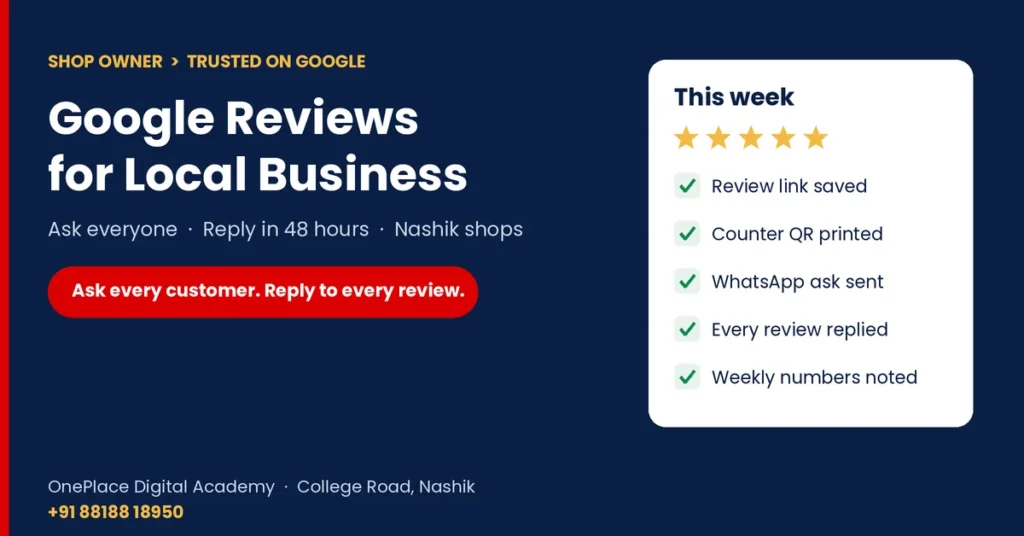
Google reviews for local business owners come down to one habit: ask every customer, right after the job is done, with a link they can tap, and reply to every review within 48 hours. You do not need software, discounts or an agency. Google says review count and score feed into local ranking, and reviews are usually the last thing a buyer reads before calling you or the shop next door. This guide gives Nashik owners the exact message to send, the rules that get profiles into trouble and a 30-day routine.
Picture Kumar, 38, who runs a mobile repair shop on Gangapur Road. His customers are happy and they tell their friends. On Google, though, he has a handful of old reviews, while a newer shop two lanes away shows a long, fresh list. Kumar is not short of happy customers. He is short of a system that survives a busy counter.
The short version
- Ask everyone, in the same words. Asking only happy customers breaks Google’s rules.
- Never reward a review. No discount, no free item, no lucky draw entry.
- Send the link on WhatsApp the same day. A tap beats a promise to do it later.
- Reply to all of them, especially the bad ones. Other buyers are reading your reply.
- Keep staff and family out of it. Their reviews can be removed and put your profile at risk.
Why reviews matter more than one more ad
An ad stops the day you stop paying. A review keeps working for years. Google lists review count and score among the signals behind local results, alongside relevance, distance and prominence. That makes reviews one of the few ranking inputs a small shop controls without spending anything.
They also shape what the buyer does next. Someone searching for a phone repair near College Road sees three shops and compares them in seconds. Recent reviews that describe a real job, such as a screen swapped the same day, do more than any banner. AI answers are moving the same way: tools like Google AI Overviews summarise what is public about a business, and customer reviews are part of that public record. We covered how that works in our guide to generative engine optimization.
Reviews sit on top of a complete profile. If your listing is thin, fix that first with our Google Business Profile optimization checklist, then read how local SEO ranking factors work. This post covers only one job: getting honest reviews every week and handling them well.
What Google allows and what it bans
Most owners who get into trouble were not trying to cheat. They offered a small thank-you, or asked a cousin to help. Here is how the common habits sit against Google’s content policy.
| Practice | Google’s position | What to do instead |
|---|---|---|
| Sharing a review link or QR code with customers | Allowed | Make it part of how you close every job |
| Discount, free item or gift for a review | Banned | Ask with no reward attached |
| Asking only happy customers | Banned | Send the same message to everyone |
| Reviews from staff, ex-staff or relatives | Banned (conflict of interest) | Ask real customers only |
| Giving staff a target number of reviews | Banned | Make the ask routine, with no number attached |
| Telling customers what to write, or which staff member to name | Banned | Ask for their honest experience, nothing more |
| Pressuring someone at the counter to review on the spot | Banned | Offer the QR once, then let it go |
| Paying someone for a review, or to remove a bad one | Banned | Reply publicly and fix the problem |
The price of getting this wrong is real. Google removes content that breaks the policy, and repeat problems can lead to account suspension or termination. In India, the Bureau of Indian Standards has also published IS 19000:2022 for online consumer reviews, so bought reviews are a consumer-trust issue here as well as a Google one. This is general information and not legal advice.
The 5-step system
Step 1: Get your review link and QR code
Open your Business Profile on Google while signed in to the owner account and look for the option to ask for reviews. Google gives you a short link and a QR code. Menu wording changes often, so if you cannot find it, search Google’s help pages for “Create a Google link or QR code to request reviews”. Save the link as a quick reply in WhatsApp Business so it is one tap away.
Step 2: Choose your ask channel
| Channel | Best for | Watch out for |
|---|---|---|
| WhatsApp after the job | Service shops, clinics, coaching classes, anyone with the customer’s number | Send it once. Do not chase |
| QR at the billing counter | Restaurants, salons, retail with walk-in crowds | Display it and leave the choice to the customer |
| Printed line on the bill or job card | Hardware, repair and home services | Keep the link short and test the scan |
If WhatsApp is already your main channel, build this into the follow-up flow from our WhatsApp marketing guide for small business. Send it only to customers who have dealt with you and expect to hear from you.
Step 3: Ask at the right moment
| Business | Best moment to ask |
|---|---|
| Repair shop | Evening of the handover, once the customer has used the item |
| Restaurant | On the bill tray, with no staff standing over the table |
| Salon | Same day, after the customer has had time to get home |
| Clinic | After the visit, general wording only, with no mention of the treatment |
| Coaching class | To the full batch at the end of a term, not only the toppers |
Step 4: Use one message for everyone
Copy this, add your shop name and link, and send the same text to every customer. Notice what it does not say: nothing about stars, nothing about what to mention, nothing about a reward.
Thank you for choosing [Shop Name]. If you have two minutes, please share your honest experience on Google: [link]. Good or bad, it helps us and the next customer.
Many customers around Nashik will respond better in Marathi:
[दुकानाचे नाव] निवडल्याबद्दल धन्यवाद. दोन मिनिटे वेळ असेल तर तुमचा खरा अनुभव Google वर लिहा: [लिंक]. चांगला असो वा वाईट, आम्हाला आणि पुढच्या ग्राहकाला त्याची मदत होते.
Step 5: Reply to every review
Replying needs a verified profile. Your reply appears under the business name, and the reviewer gets notified. Google checks replies first, which usually takes up to 10 minutes and can take longer. Keep offers out of your replies, and never share a customer’s personal details.
| Review type | What to write | Example opening |
|---|---|---|
| 5 stars, with detail | Thank them and repeat one specific thing | Thank you, Sagar. Glad the screen job was ready the same day. |
| 3 stars, mixed | Thank them, own the weak point, say what changes | Thank you for telling us about the wait. We now call before pickup. |
| 1 star, genuine | Apologise for the experience and move it to a call | We are sorry about this. Please call the shop so we can put it right. |
| Not a customer | Stay polite, state that you have no record, then flag it | We cannot find this visit in our records. Please contact us with the details. |
Bad reviews: what to do in the first hour
- Read it twice and wait 10 minutes. Angry replies stay public for years.
- Check your records. Find the job, the date and what went wrong.
- Reply publicly in two or three lines, then solve it on a call.
- Flag it only if it breaks policy, such as a fake visit, abuse or a competitor posting. A low rating alone is not a violation.
- Do not offer anything for removal. Paying a customer to change or delete a review is banned too.
A few honest low ratings do less damage than owners fear. A wall of perfect, similar-sounding reviews can look less believable to a careful buyer than a real mix with calm replies.
Using ChatGPT for replies, not for reviews
AI saves real time on replies when you get 10 a week. Paste the review with the name removed, then use this prompt:
You run a [type of shop] in Nashik. Write a 3-line reply to this Google review. Be warm and specific. Do not offer a discount. Do not repeat any personal details. Review: [paste]
Edit the draft before posting so it sounds like you. Our ChatGPT for small business marketing guide has a full daily routine. One hard line: never use AI, or anyone else, to write a review for a customer. A review must be the customer’s own words about their own experience.
Your 30-day review routine
| Week | Do this | Time needed |
|---|---|---|
| Week 1 | Get the link and QR. Save the WhatsApp quick reply. Print the counter card | 1 hour |
| Week 2 | Send the message to every customer that day. Reply to all old reviews | 10 minutes a day |
| Week 3 | Brief staff: offer the QR, no targets, no scripts. Clear any new replies | 10 minutes a day |
| Week 4 | Note new reviews, reply time, rating and profile calls. Fix the most common complaint | 30 minutes |
Those four numbers tell you if it is working. Calls and direction requests from your profile matter more than the star count alone, because that is the point where reviews turn into walk-ins.
Where OnePlace fits
We follow these same rules at our College Road campus in Soham Complex. Our review link goes to every student of a batch and not only the happy ones. We offer no incentives, and staff and family do not review us. We hold a 5.0 Google rating on that basis, and we would rather explain a critical review than hide one.
If you want this system running along with your ads and WhatsApp follow-up, the EDMP (Entrepreneurship Digital Marketing Program) is built for it. It runs for 3 months, 100% offline at College Road, Monday to Friday for 2 to 3 hours a day, and you apply everything to your own business. Read how to choose a digital marketing course as a business owner first. If you would rather train someone on your team, look at our 4-month flagship certification.
Want to learn local SEO and Google Business Profile ranking hands-on? See our SEO course in Nashik.
Frequently asked questions
How do I get more Google reviews for my local business?
Share your Google review link or QR code with every customer right after the job, ideally on WhatsApp the same day. Use one neutral message for everyone, then reply to each review within 48 hours.
Can I offer a discount in exchange for a Google review?
No. Google bans discounts, gifts, free services or any other reward given in exchange for a review. Reviews collected this way can be removed, so ask with nothing attached.
Can I ask only my happy customers for reviews?
No. Google does not allow selectively asking for positive reviews. Send the same request to every customer and let them share their honest experience.
Can my staff or family write Google reviews for my shop?
No. Reviews from current or former staff and from relatives count as a conflict of interest under Google policy and can be removed. Only real customers should review your business.
Can I delete a bad Google review?
You cannot delete a review just because it is negative. You can flag it if it breaks Google policy, for example if it is fake or abusive. For genuine complaints, reply calmly and fix the issue.
How quickly should I reply to Google reviews?
Aim to reply within 48 hours. A short, specific reply shows future customers that you pay attention. Bad reviews deserve the fastest reply, because more buyers read them closely.
Start collecting honest reviews this week
Tell us your business type and where you are in Nashik. We will look at your Google profile, point out the first three fixes and tell you plainly whether EDMP makes sense for you or whether you can handle it yourself.
Or call +91 88188 18950. OnePlace Digital Academy, Soham Complex, Patil Lane No. 3, College Road (above Namco Bank), Nashik. Rated 5.0 on Google.